
Create a strategy
Learn how to create and configure a yield strategy in the Breeze Customer Portal.
A strategy defines which assets your users can deposit and the fee structure for your application. Follow this guide to create your first strategy.
Start strategy creation
The entry point depends on your organization:
- If this is your first strategy, select Get Started from the dashboard.
- If your organization already has a strategy, open Strategies, then select Create New Strategy.
Both entry points continue through the same configuration.
Configure the strategy
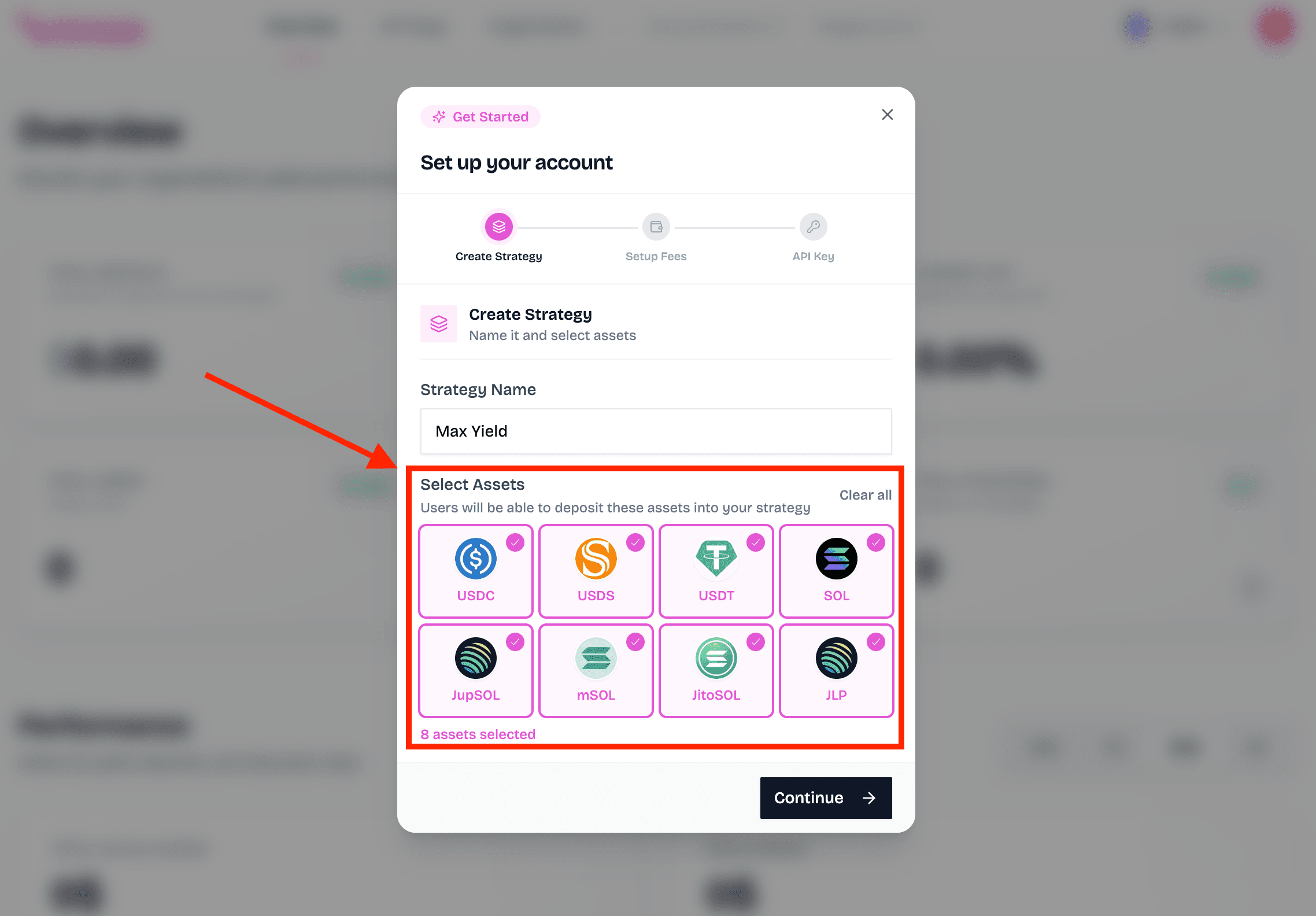
Name the strategy and choose its assets
Enter a recognizable strategy name, then select the assets users can deposit. If an asset you need is unavailable, contact the Breeze team.
Configure fee distribution
If prompted, enter the Solana wallet that should receive your organization's fees. Then set the percentage of user yield retained by your organization.
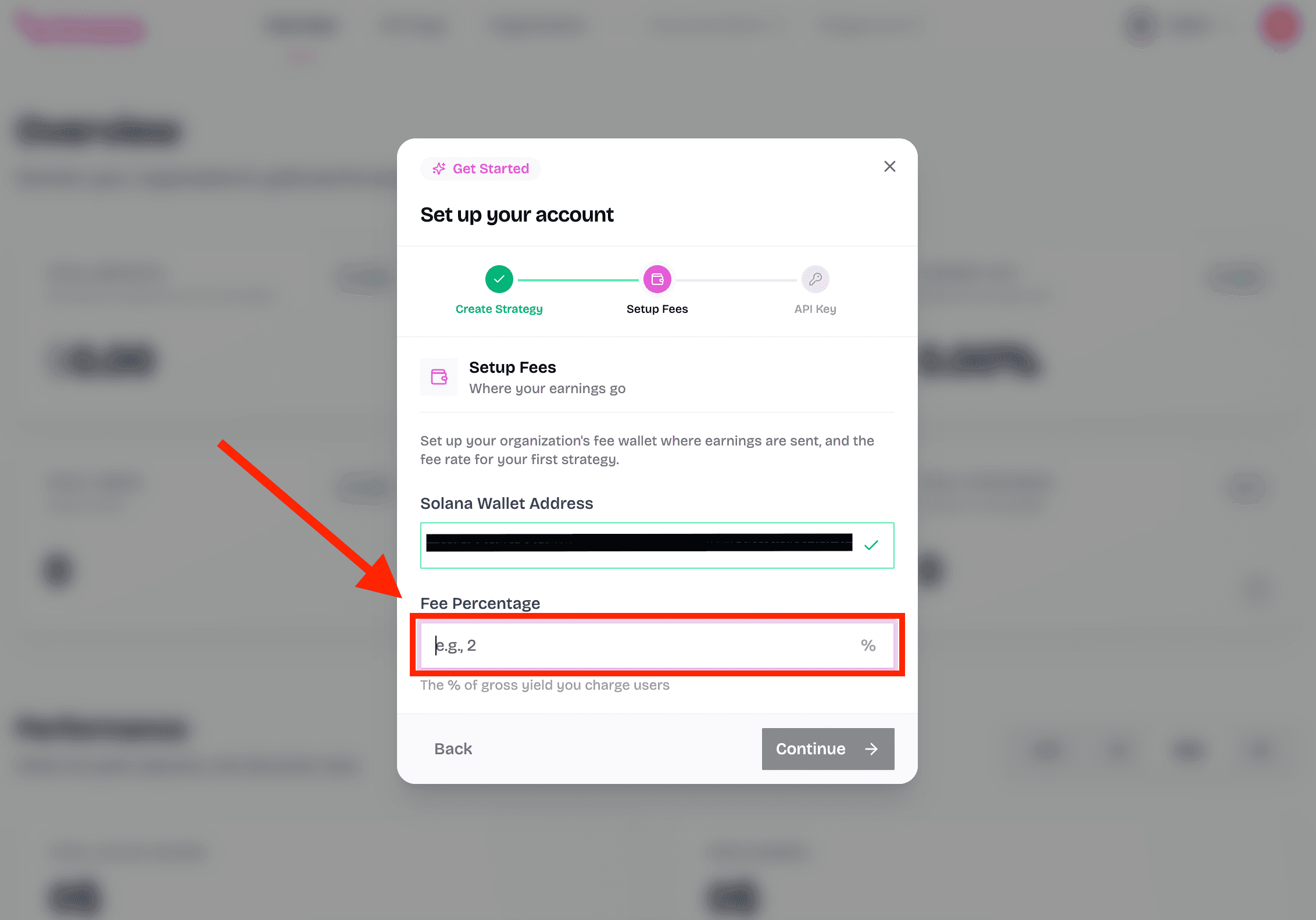
Fees apply only to yield
The configured fee is deducted from yield earned, not from the user's deposit. With a 10% fee, $100 of earned yield sends $10 to the fee distribution wallet and leaves $90 of yield for the user.
Create an initial API key
During first-strategy onboarding, enter a name for the initial API key. You can manage keys later from the API Keys section.
If you are adding another strategy, continue with your organization's existing API key setup.
Review the configuration
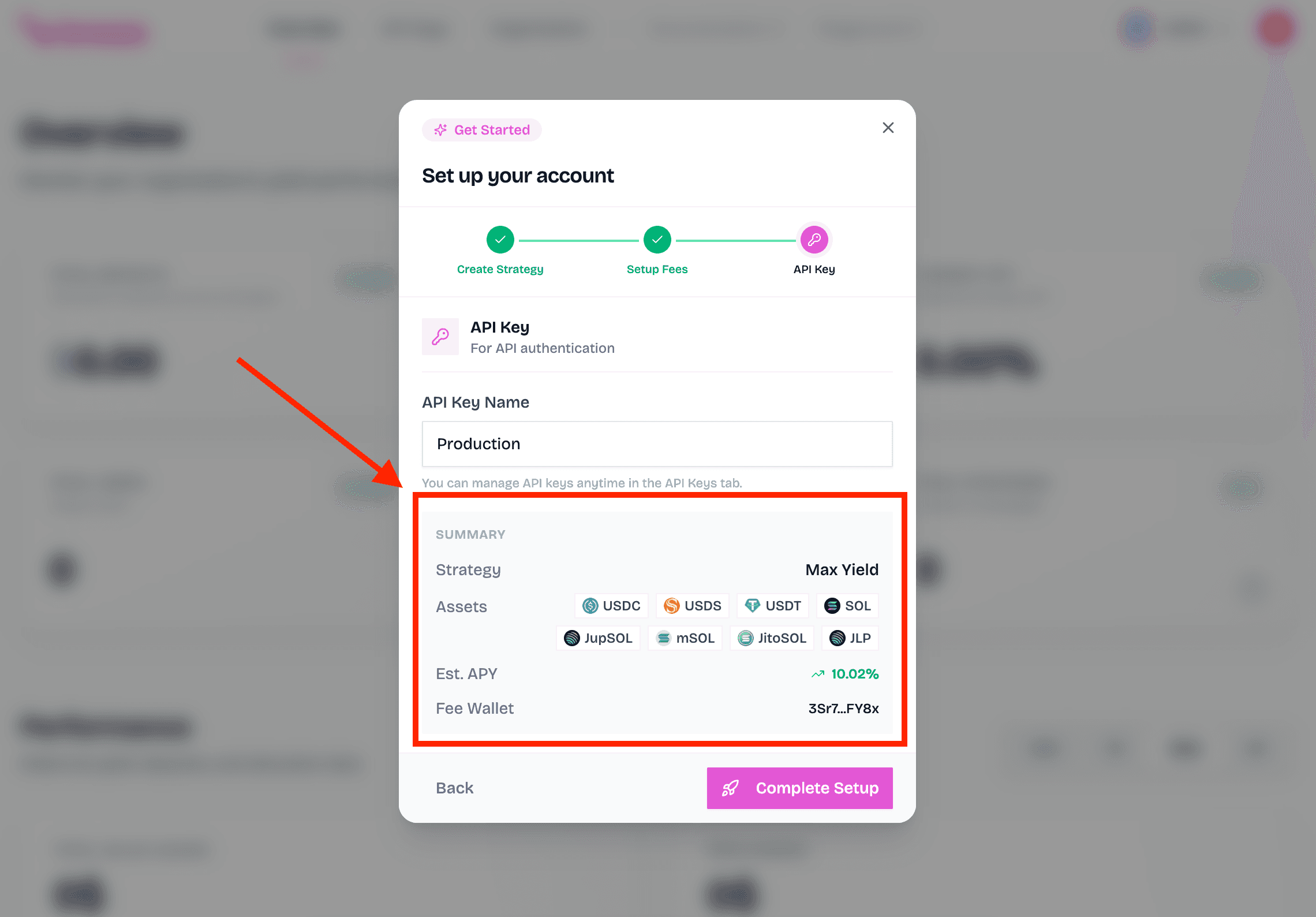
Confirm the strategy name, supported assets, fee settings, and API key details before submitting.
Submit the strategy
Select Complete Setup during first-strategy onboarding or Create Strategy when adding a strategy from the Strategies section.
Wait for the strategy to activate
The new strategy appears with a Pending status while its on-chain accounts are created.
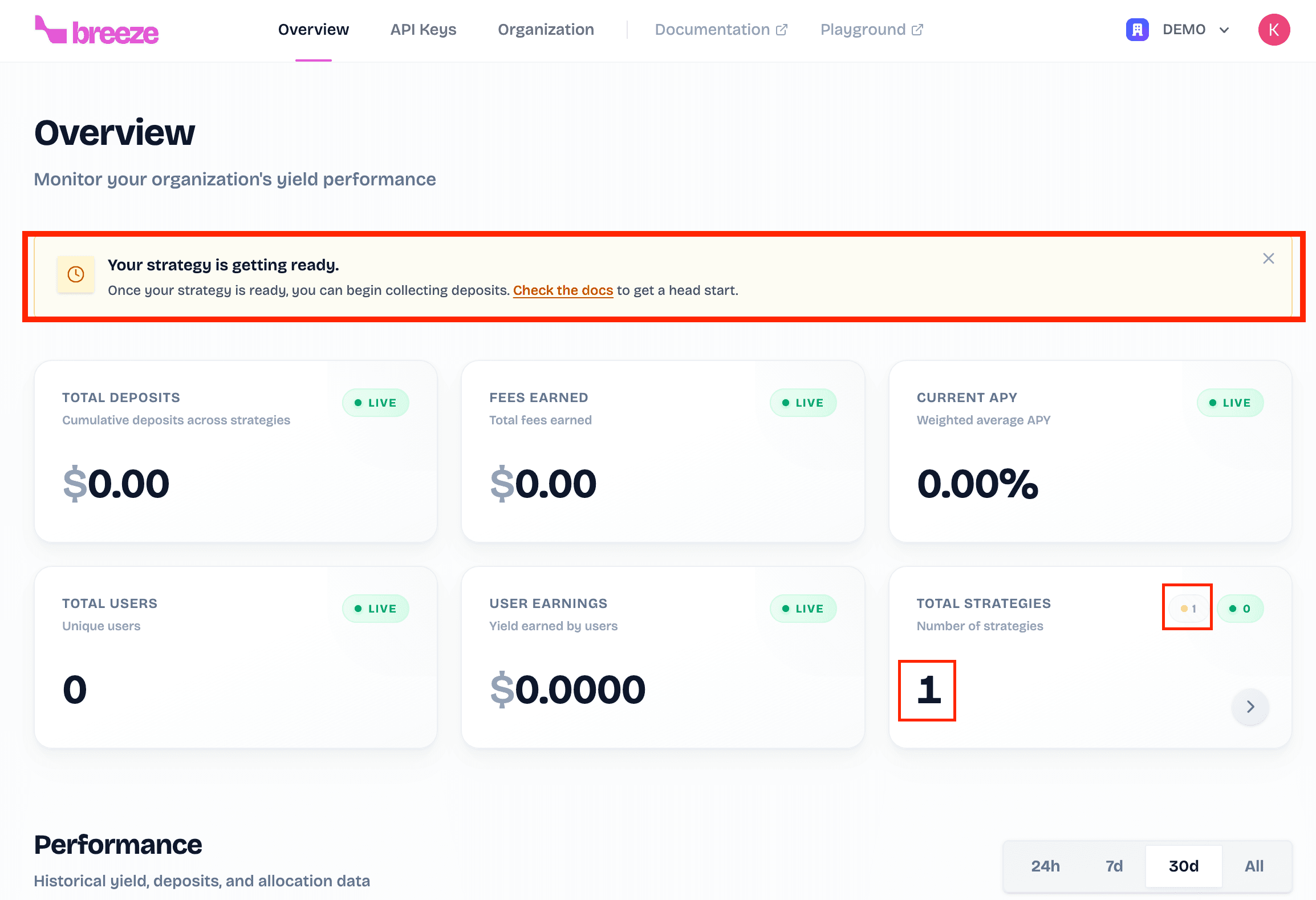
Pending strategies
The strategy becomes Active after account creation finishes. Use the strategy only after its status changes to Active.
What's next?
Once your strategy is created, you can: