
The Breeze Customer Portal provides a comprehensive web-based interface for managing your strategies, monitoring performance, and configuring your integration settings.

Organization Overview

The Organization Overview is your central dashboard providing a quick snapshot of your entire organization’s performance. Organization Overview
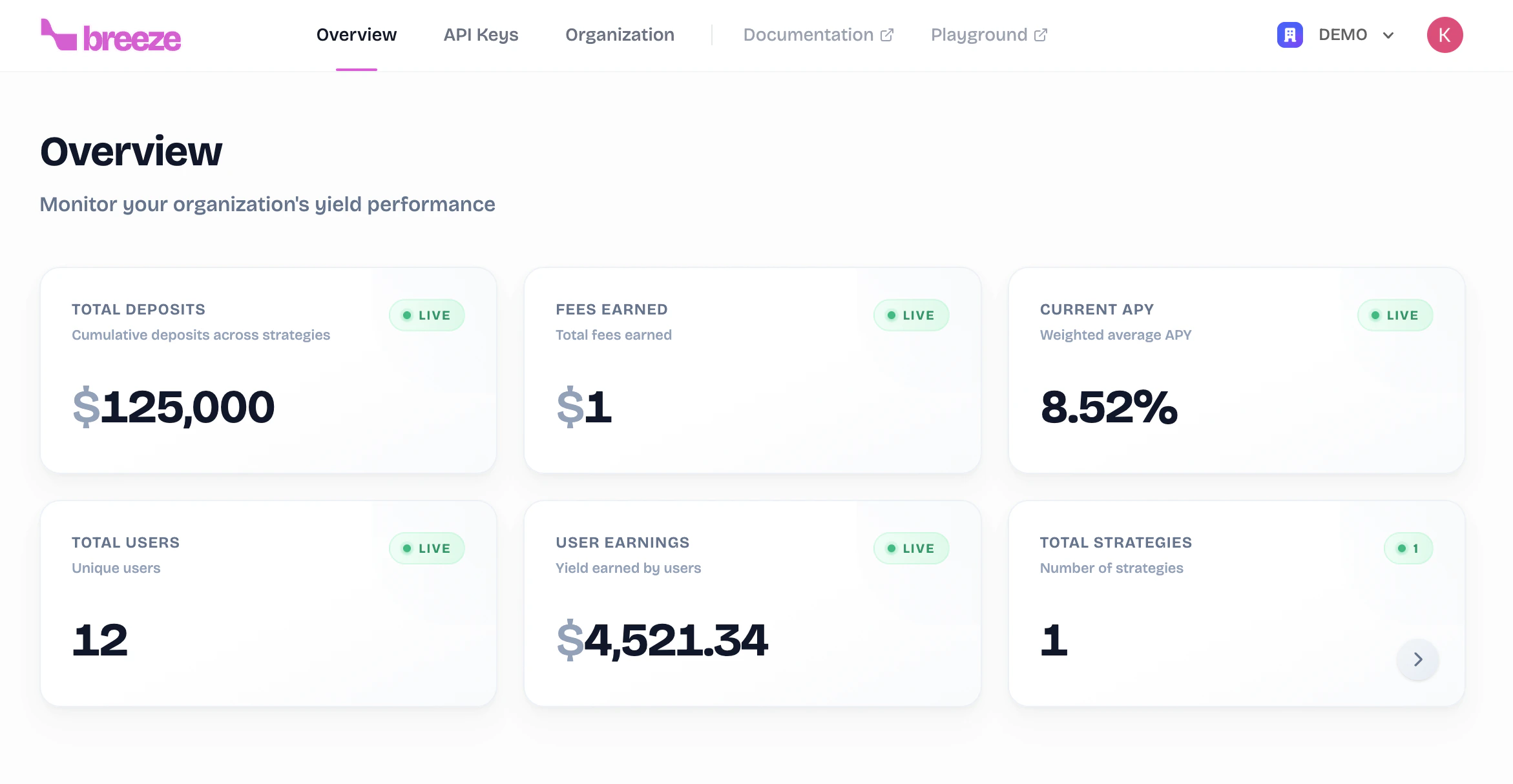
Total Deposits

Cumulative deposits across all your strategies.

Total Strategies

Number of active strategies in your organization.

Total Users

Unique users depositing into your strategies.

User Earnings

Total yield earned by your users.

Fees Earned

Total fees you’ve earned from user yields.

Current APY

Weighted average APY across all strategies.

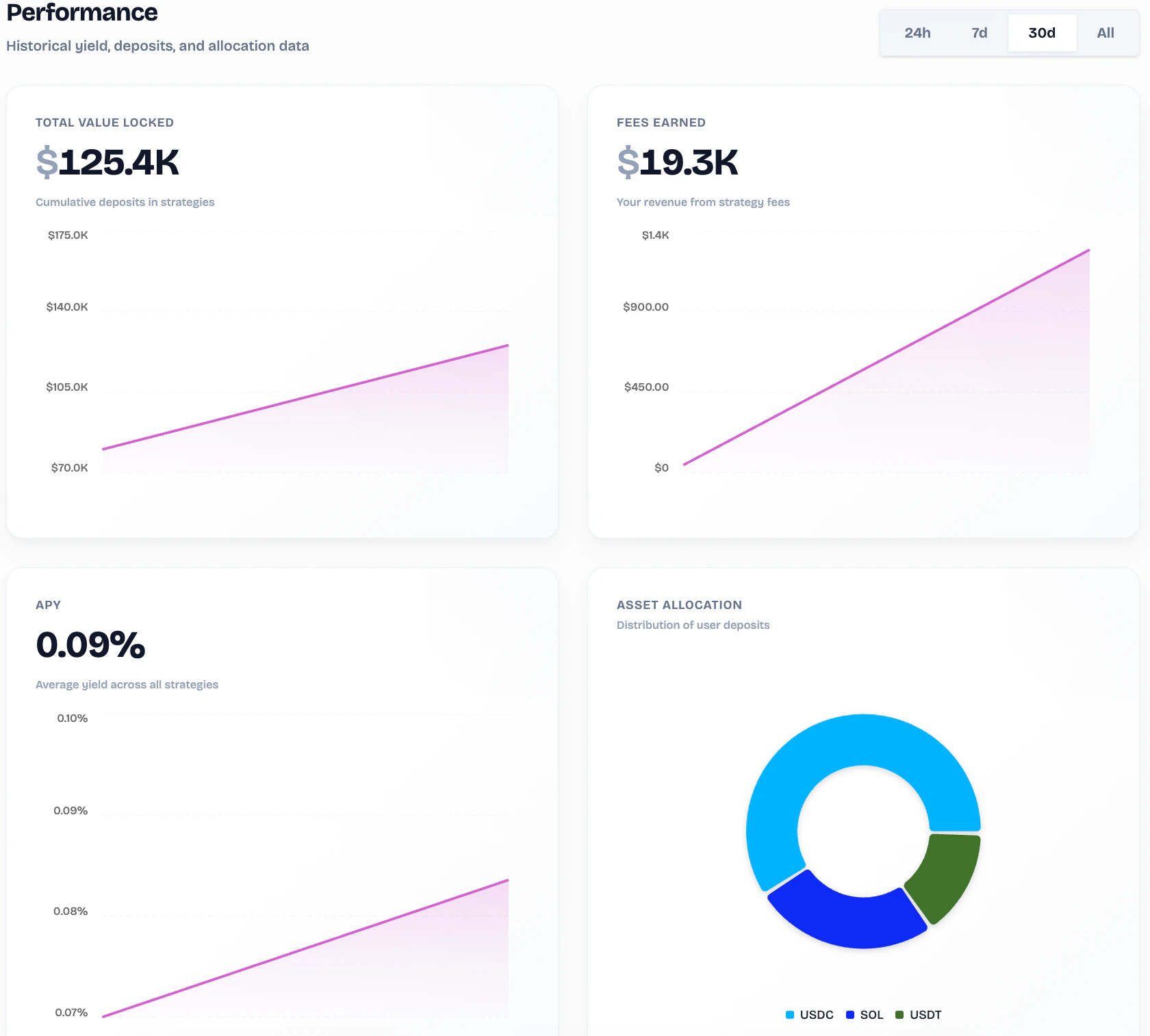
Performance Charts

Performance Charts The dashboard includes interactive charts for TVL, Fees Earned, APY (with time range selector), and Asset Allocation across supported tokens.

Strategies

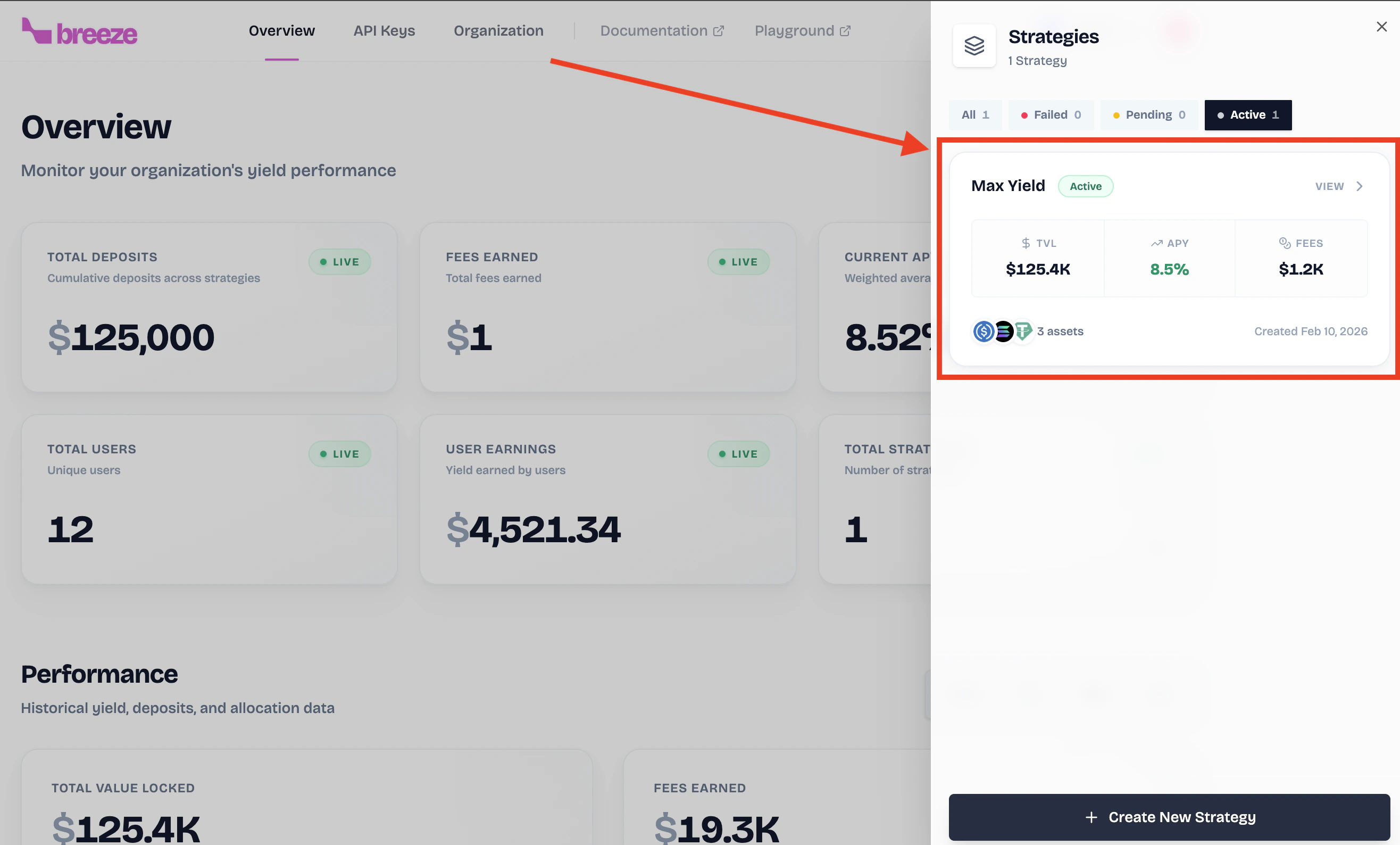
The Strategies section allows you to manage and monitor all your yield optimization strategies. Strategies List The strategies table displays: Strategy Name, Status, Assets, APY, Total Users, Fee Rate, Created date, and Actions.
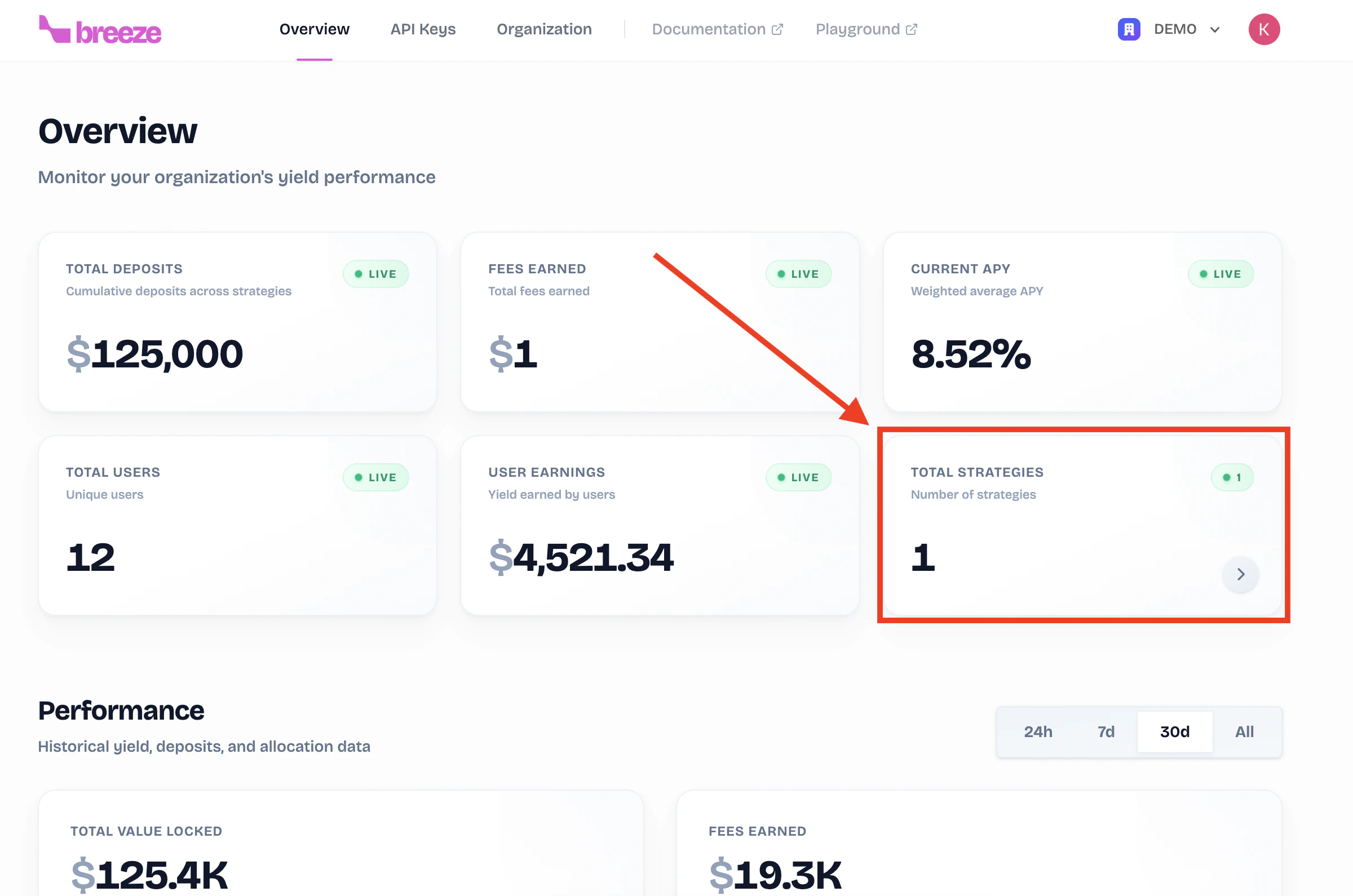
Click on any strategy row to view detailed metrics and configuration options.

Strategy Details - Overview Tab

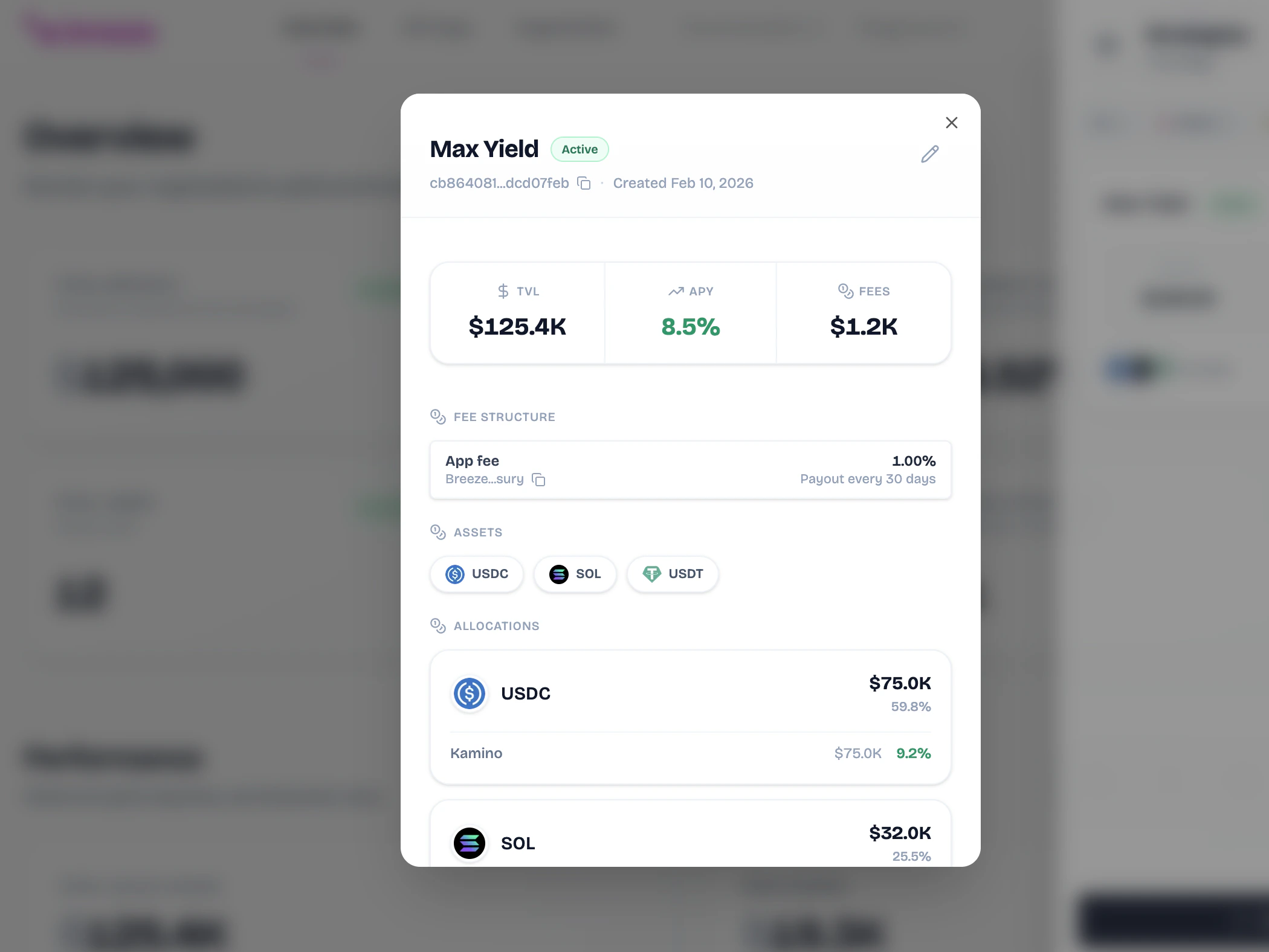
Strategy Overview Each strategy has its own detailed view with three tabs: Overview, Allocations, and Fee Info. The Overview tab shows key metrics: TVL, Fees Earned, Current APY, and Total Users, along with charts for Asset Breakdown and Strategy APY over time. Strategy Charts

Strategy Details - Allocations Tab

Strategy Allocations The Allocations tab provides transparency into how funds are deployed:

Allocated Amount

Amount currently deployed to yield-generating protocols.

Unallocated Amount

Amount waiting to be allocated to yield sources.

Allocation Ratio

Percentage of funds actively earning yield.
Protocol Allocation shows fund distribution across DeFi protocols: Drift, Kamino, Marginfi, and JupLend. Active Yield Allocations Active Yield Allocations breaks down positions by asset with expandable details showing protocol, value, APY, and allocation percentage.

Strategy Details - Fee Info Tab

Fee Info The Fee Info tab displays your Performance Fee percentage, Fee Recipient wallet address, and Distribution Frequency.
Remember: Fees are only taken from the yield your users earn, never from their deposits.

API Keys

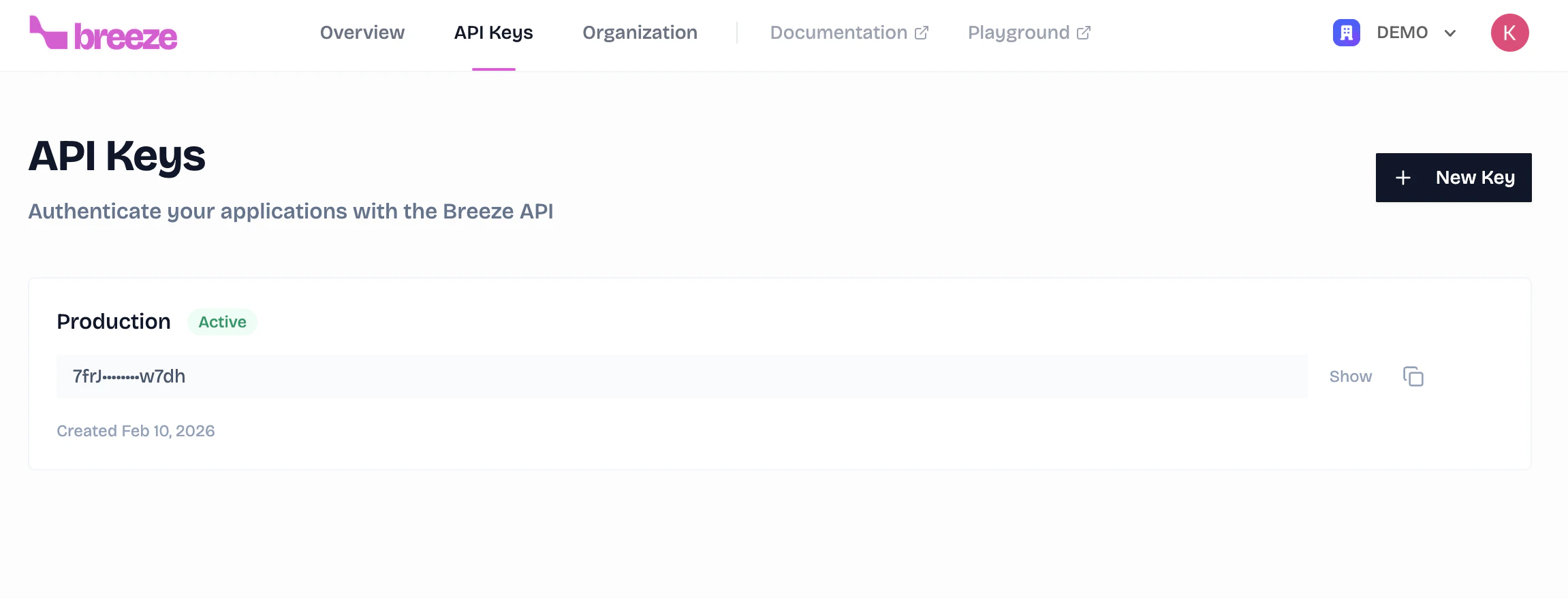
The API Keys section lets you manage authentication credentials for integrating with the Breeze API. API Keys Create, search, and manage your API keys with quick links to API Docs and Authentication Guide. The table shows key name, status, masked key (with copy), creation/expiration dates, last used, and actions (view, edit, delete).
Keep your API keys secure. Never expose them in client-side code or public repositories.

Organization Settings

The Organization section allows you to manage your organization’s settings and team members. Organization Settings
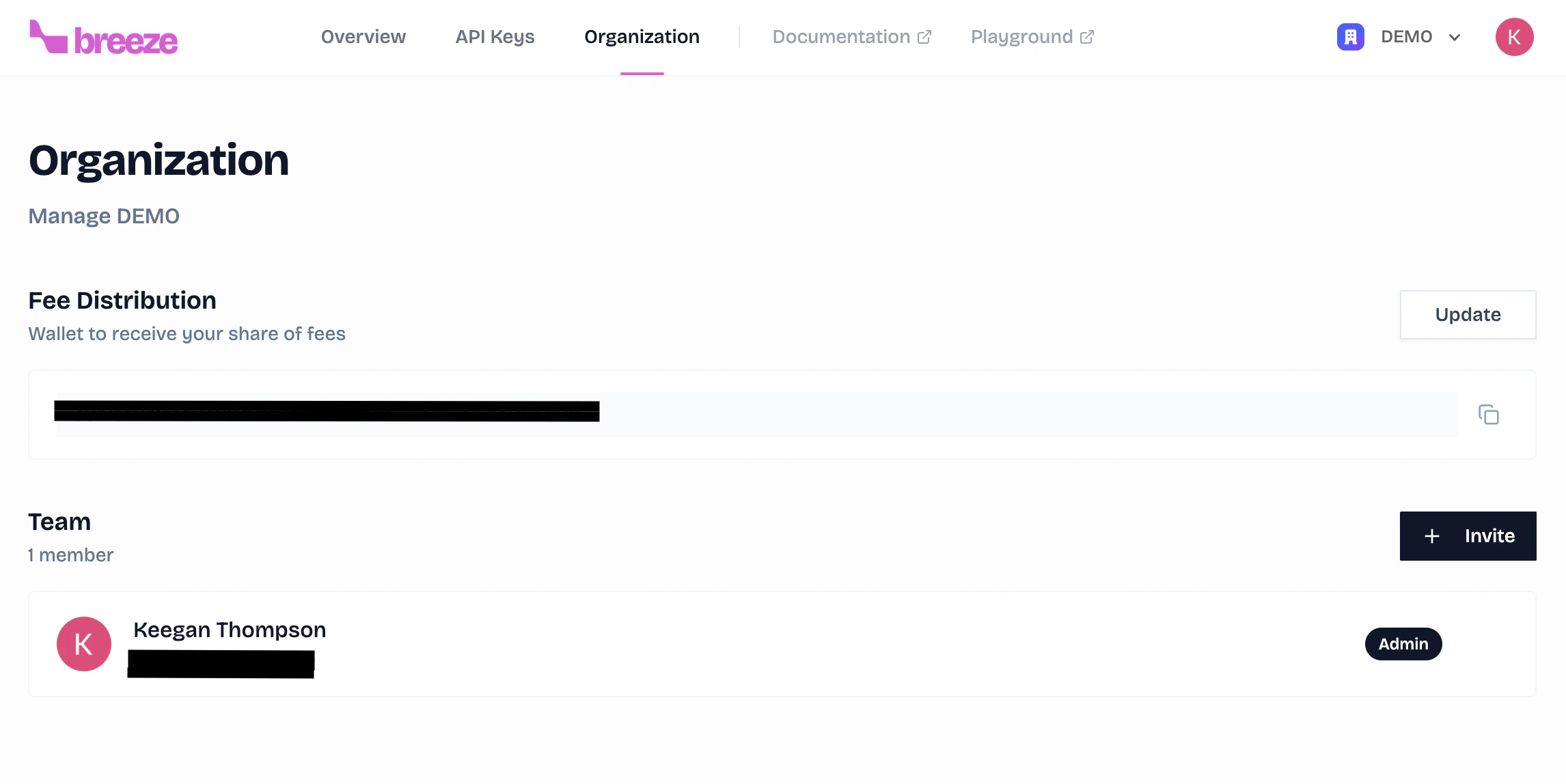
Organization Settings

Configure your Fee Distribution Wallet where earned fees are sent.

Organization Members

Add and manage team members with Admin or Member roles. The table shows user info, access level, and timestamps for easy team management.

Key Benefits

Real-time Visibility

Live dashboards provide immediate insights into deposits, yields, and user activity.

Protocol Transparency

See exactly where funds are allocated across DeFi protocols like Drift, Kamino, Marginfi, and JupLend.

Fee Management

Configure and track your performance fees with detailed earnings breakdowns.

Team Collaboration

Add team members with role-based access to manage your integration together.